
Chrono Tasker allows you to schedule and automate actions at both the operating system and application levels. It also features a manual stopwatch to accurately track your activities from start to finish.
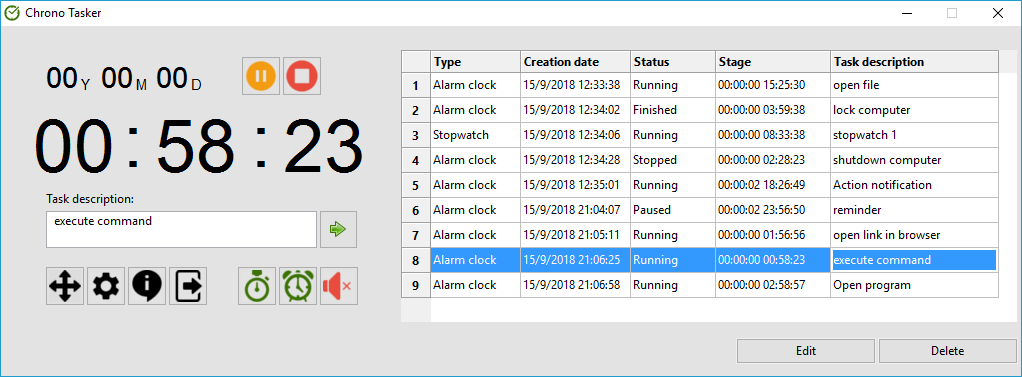
The application is lightweight and consumes minimal CPU and memory resources, making the operating system's minimum requirements more than sufficient. However, for an optimal experience, a screen resolution of at least 1024x768 is recommended so the application displays properly in extended mode.
Automated Actions:
- Run files (programs or scripts), execute Command Prompt commands, restart, shut down, log off, or return to the Windows login screen.
- Open documents with their default associated programs or launch web URLs in your browser.
- Display custom on-screen messages.
- Play a system beep or a custom audio file chosen by the user.
General Features:
- Available completely free of charge (freeware).
- Fully compatible with Windows 10, 8, and 7.
- Set up to 101 simultaneous timer or stopwatch tasks.
- Schedule tasks up to December 31, 2037, at 11:59:59 PM.
- Manage, edit, or delete tasks effortlessly from a dedicated task list.
- Pause and resume any running task at any time.
- Includes options to run on system startup, execute with administrator privileges, and run silently in the background.
- Available in English and Romanian, with toggleable compact or extended window display modes.
- Optional automatic notifications when a newer version of the application becomes available.